How Do I Access Resources?

Last updated: Jul 29, 2026
599
views

Companion resources are designed to help you apply what you learn and support your team's intentional growth beyond watching a video.
Many videos in the Network include companion resources, such as outlines and discussion guides.
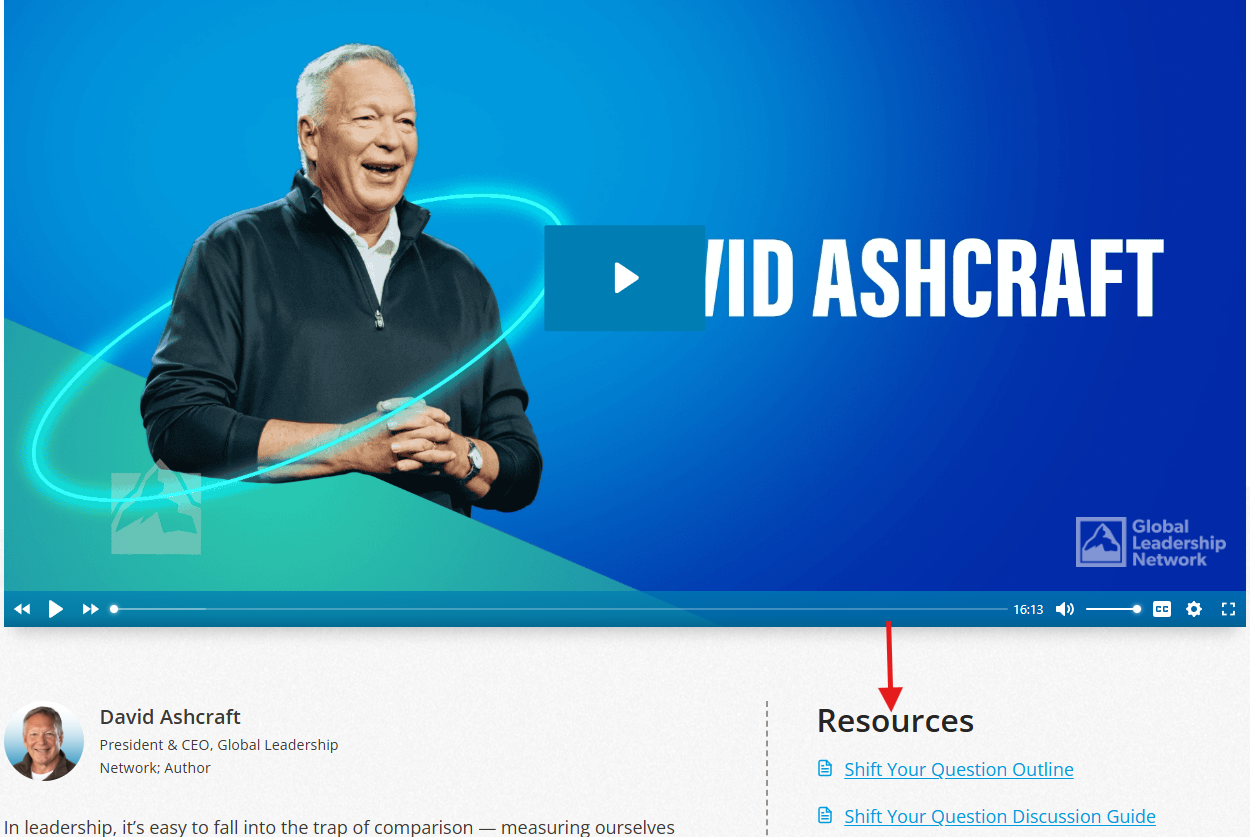
When available, you'll find these resources underneath or alongside the video.
Types of Resources
Depending on the content, resources may include:
- Outlines
- Discussion guides
- Learning guides
- Facilitator resources
- Additional companion materials
Accessing Resources
If resources are available:
- Open the video you'd like to watch.
- Locate the Resources section just below or next to the video.
- Select the resource you'd like to open and download.
Depending on the file type and your browser settings, the resource may open in a new browser tab or download directly to your device.
Note: Not every video includes companion resources. When resources are available, they'll appear in the Resources section next to the video. Resources are available as PDFs.